Skip to content

Trade shows and expos

Sell your exhibit hall without the spreadsheet.

Draw your hall, drop in rows of booths, and let exhibitors choose and pay for their spot online. You watch the floor fill up.

Sample event
$29,100 sold20 of 60 booths full

A sample expo hall, selling on a loop.

Sound familiar?

  • Booth requests arrive by email, one at a time.
  • The PDF floor plan is out of date by Tuesday.
  • Two exhibitors think they have booth 214.
  • You're still chasing invoices the week of the show.

One live map fixes all four.

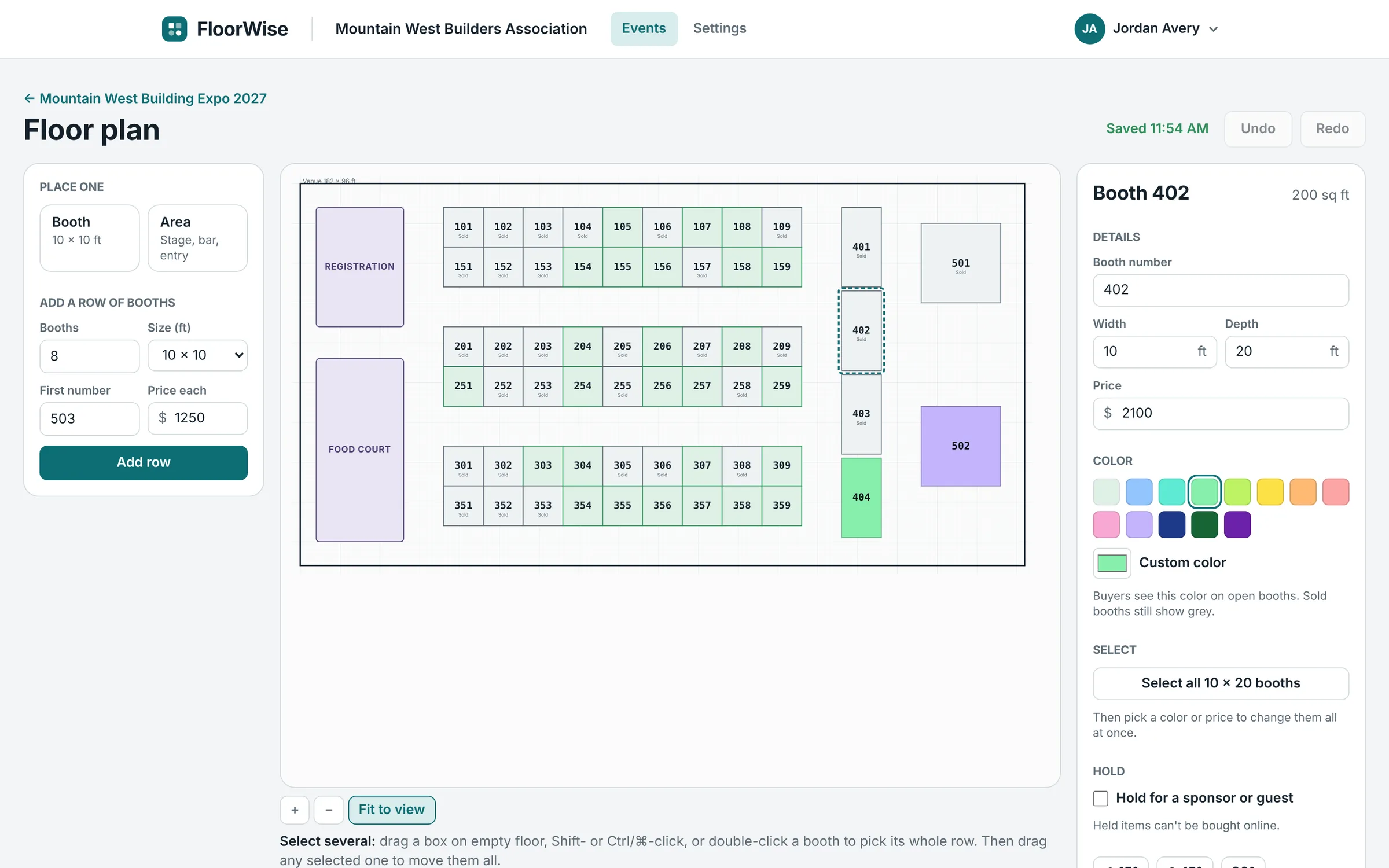
The floor plan editor with an expo hall: rows of numbered booths, a selected 10 by 20 booth and its price and color settings.
01

Build the hall in minutes

Start from the venue's own drawing or a blank floor. Add booths a row at a time, not one by one.

  • Upload a PDF or picture of the venue and build on top of it
  • Rows of 10 × 10s, 10 × 20s, islands: any size
  • Color booths by size so the map explains itself
  • Stages, food courts and registration as labelled areas
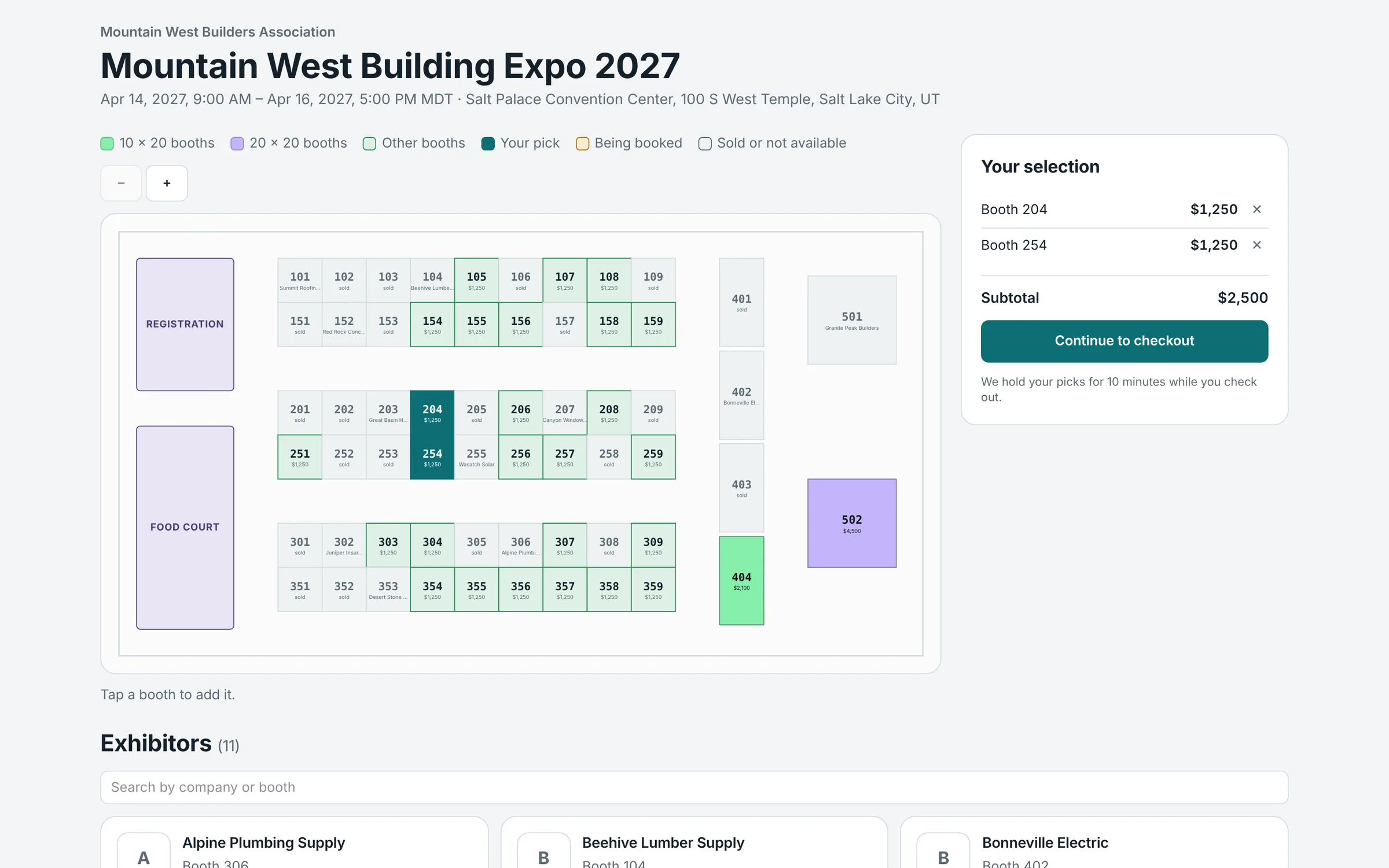
The exhibitor's booking map with sold and open booths, and two booths picked for checkout.
02

Exhibitors pick and pay

Share one link, or put the map on your own website. Exhibitors see what's open, choose their booth and check out.

  • Card payments go straight to your Stripe account
  • A booth is held for the buyer while they check out
  • Reserve now, pay by invoice or check if you allow it
  • Power, tables, chairs and lunch tickets sold with the booth
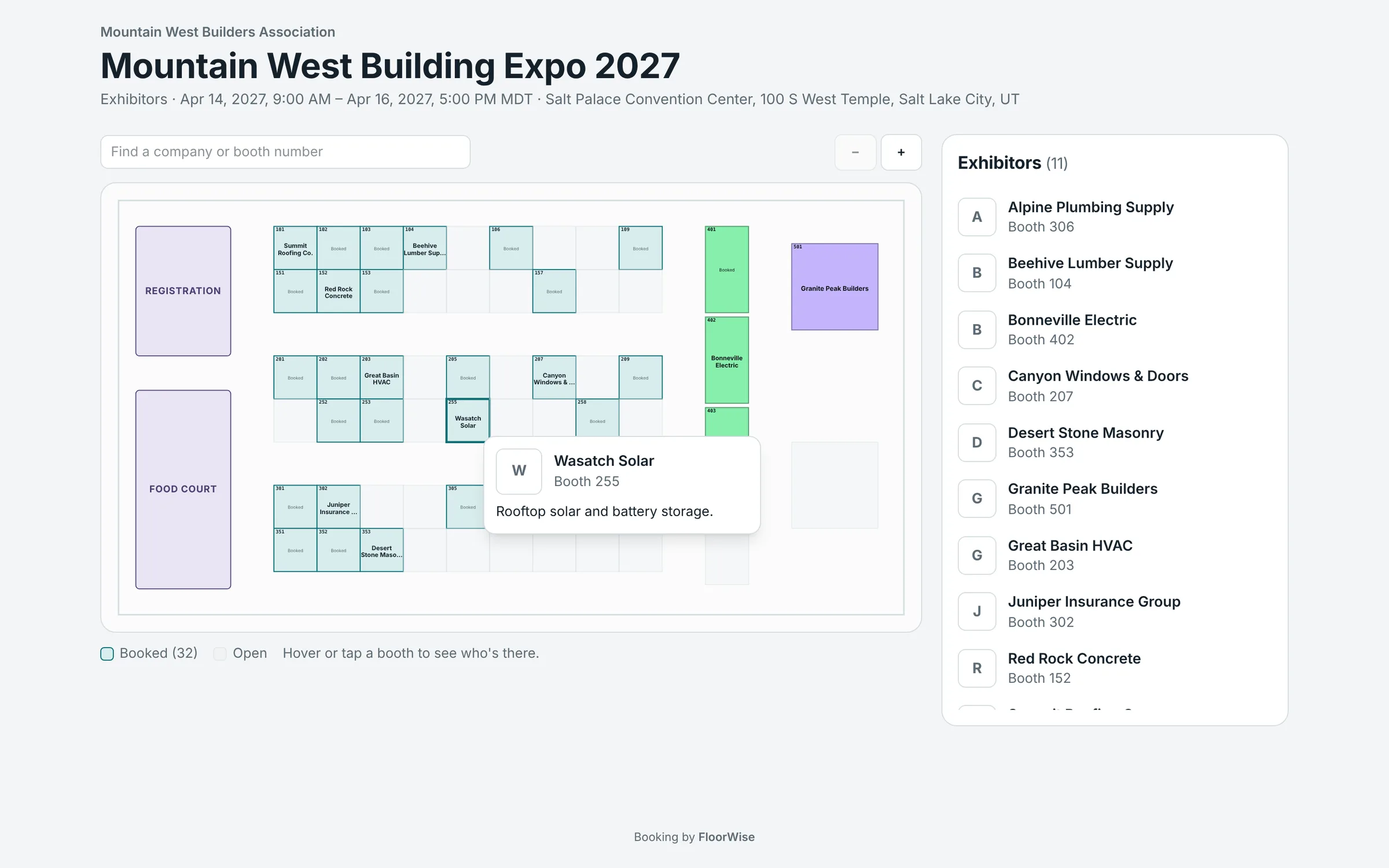
The show-day exhibitor map: booked booths labelled with company names, a search box, and a card for one exhibitor.
03

A map for show day, too

Turn on the exhibitor map and attendees can find any company on the floor from their phone.

  • Search by company name or booth number
  • Each exhibitor adds a logo, a short description and a website
  • View only: nothing to buy, nothing to break
  • You choose when it goes live
A busy exhibition hall seen from above, with rows of booths and people walking the aisles.

The goal

A full hall, sold before the doors open.

Also included

The parts you'd otherwise do by hand.

  • Booth teams

    Collect the name, email and job title of everyone working each booth.

  • Early-bird prices and promo codes

    Reward early exhibitors, or give members a code.

  • Bookings by hand

    Phone order or comped sponsor? Add it yourself in a minute.

  • Refunds and moves

    Refund a card payment or move an exhibitor to another booth.

  • Printable lists

    Booth lists and the floor plan, ready for the print shop.

  • Copy for next year

    Next year's show starts with this year's floor plan and prices.

Trade show questions

Can exhibitors choose their own booth?

Yes. They open your booking map, see which booths are open and what each costs, pick one or several, and pay. The map updates right away.

Can I hold booths for sponsors?

Yes. Mark any booth as held, with a note for your team. Held booths can't be bought online, and you can book them by hand whenever you're ready.

What if an exhibitor wants to pay by check?

Turn on pay by invoice for the event. The exhibitor reserves the booth, gets your payment instructions and a due date, and you mark it paid when the check arrives.

Can I price booths differently?

Every booth has its own price. Select a whole row, or every booth of one size, and set the price and color in one step. Early-bird pricing and promo codes are built in.

Can I move an exhibitor after they've booked?

Yes. Move them to any open booth from your sales page. Their order, team and listing move with them.

Your next show, sold out from one link.